tt-station is a personal sidequest — not yet an official Tenstorrent product or repository. Binaries are unsigned.

Local Tenstorrent inference · from your Mac

Your QuietBox,
as your Mac sees it.

Discover a Tenstorrent QuietBox on your LAN like an AirPlay device. Pair once. Run a model. Point any OpenAI client at one /v1 endpoint — no drivers, no SSH gymnastics, no llama.cpp. A native macOS control room rides on top for the days you'd rather click than type.

Rust CLI & box agent · mDNS discovery · 6-digit pairing · keyless SSH · native macOS app

taylor@macbook — tt-station
$ tt-station discover Scanning the LAN for Tenstorrent boxes… qb2-lab.local:8765 4×BH · idle $ tt-station pair qb2-lab.local:8765 Enter the 6-digit code shown on the box: 418 902 ✓ paired — token stored in Keychain $ tt-station run Qwen3-8B --host qb2-lab.local:8765 Starting model on the box (vLLM)… ✓ serving http://qb2-lab.local:8002/v1 $ eval "$(tt-station endpoint --host qb2-lab.local:8765)" $ curl "$OPENAI_BASE_URL/chat/completions" \ -d '{"model":"Qwen3-8B","messages":[…]}' { "choices": [{ "message": "content": "Hello from your QuietBox." }] } $

The problem

The hardware is on your desk.
Using it shouldn't feel remote.

A Tenstorrent QuietBox is a datacenter's worth of inference sitting three feet away — four Blackhole chips, 128 GB of memory, ~2.6 PFLOPS. But reaching it from your daily-driver Mac usually means SSH sessions, remembering IPs, hand-launching containers, and copy-pasting ports.

tt-station is the thin glue that closes that gap. The serving half already existed — tt-inference-server's vLLM /v1 on the box, and macOS Bonjour for zero-config .local discovery. What was missing was a small discovery/pairing layer, a friendly CLI, and a native menu-bar app to tie them together. tt-station is exactly that glue.

The result feels less like operating a server and more like casting to a speaker: it shows up, you pick it, it just works.
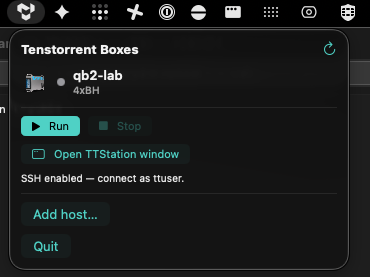
The TTStation macOS menu-bar popover showing qb2-lab with Run / Stop and Open TTStation window actions

The real menu-bar popover — glance, Run/Stop, open the control room. TTStation.app, shipped.
How it works

One endpoint, three moving parts

tt-station adds a small box-side agent and a Mac-side CLI (plus a native app built on it) on top of the serving stack you already run. Discovery, pairing, and an optional SSH handshake happen over the LAN; serving is delegated to tt-inference-server's run.py/vLLM on the box, behind a backend seam that keeps the serving details off the Mac.

Your Mac tt-station CLI & TTStation.app
  • Browse, rank & pick a box/model
  • Token in Keychain
  • Exports OPENAI_BASE_URL
mDNS · pair · SSH · HTTP
QuietBox (LAN) tt-station-agentd
  • Advertises _tenstorrent._tcp + device mesh
  • 6-digit pairing → token, keyless SSH
  • Named profiles (stable/bleeding)
run.py · vLLM
Serving tt-inference-server
  • Loads the model onto the box's 4 Blackhole chips
  • Readiness-gated on /v1/models
  • OpenAI-compatible /v1

Two sides, one workflow

A box that behaves, and a Mac that watches

The two halves of tt-station ship independently but are designed as one product: everything the agent learns about the box — its device mesh, its temperatures, what's serving — surfaces natively in the Mac app, and everything the app does is just tt-station --json underneath.

The box side
Rust · crates/tt-station-agentd · Linux, on the QuietBox
  • Device-mesh aware. Detects the chip layout from tt-smi (e.g. p300x2) at startup and advertises it over mDNS — no manual device flags.
  • Named serving profiles. An optional agentd.toml defines profiles like stable/bleeding — different repo checkouts or images, picked with tt-station config / --profile.
  • Keyless SSH on pairing. The same 6-digit handshake can install your Mac's public key on the box (/ssh/authorize, tt-station ssh-authorize) — no password prompts for the workbench.
  • Readiness that means something. Resets the board, pins a compatible serving image, and only reports "serving" once /v1/models actually lists the model.
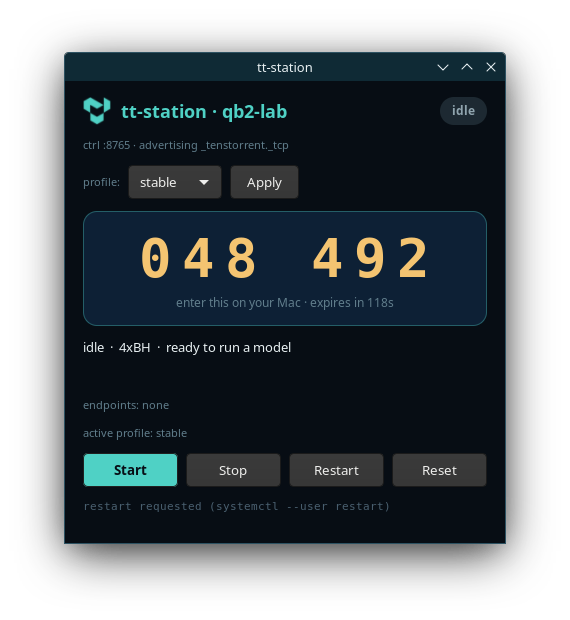
  • Operable two ways. A GTK box panel on the QuietBox's own screen (start/stop/reset, live pairing code, profile picker), or headless as a systemd-style daemon driven entirely by the CLI/app.
The GTK box panel on the QuietBox's own screen showing a large 6-digit pairing code and start/stop/restart/reset controls

The box panel on the QuietBox's own screen — live 6-digit code, start/stop, profile picker.

The macOS side
Swift · macos/TTStation · v0.5.0, native app
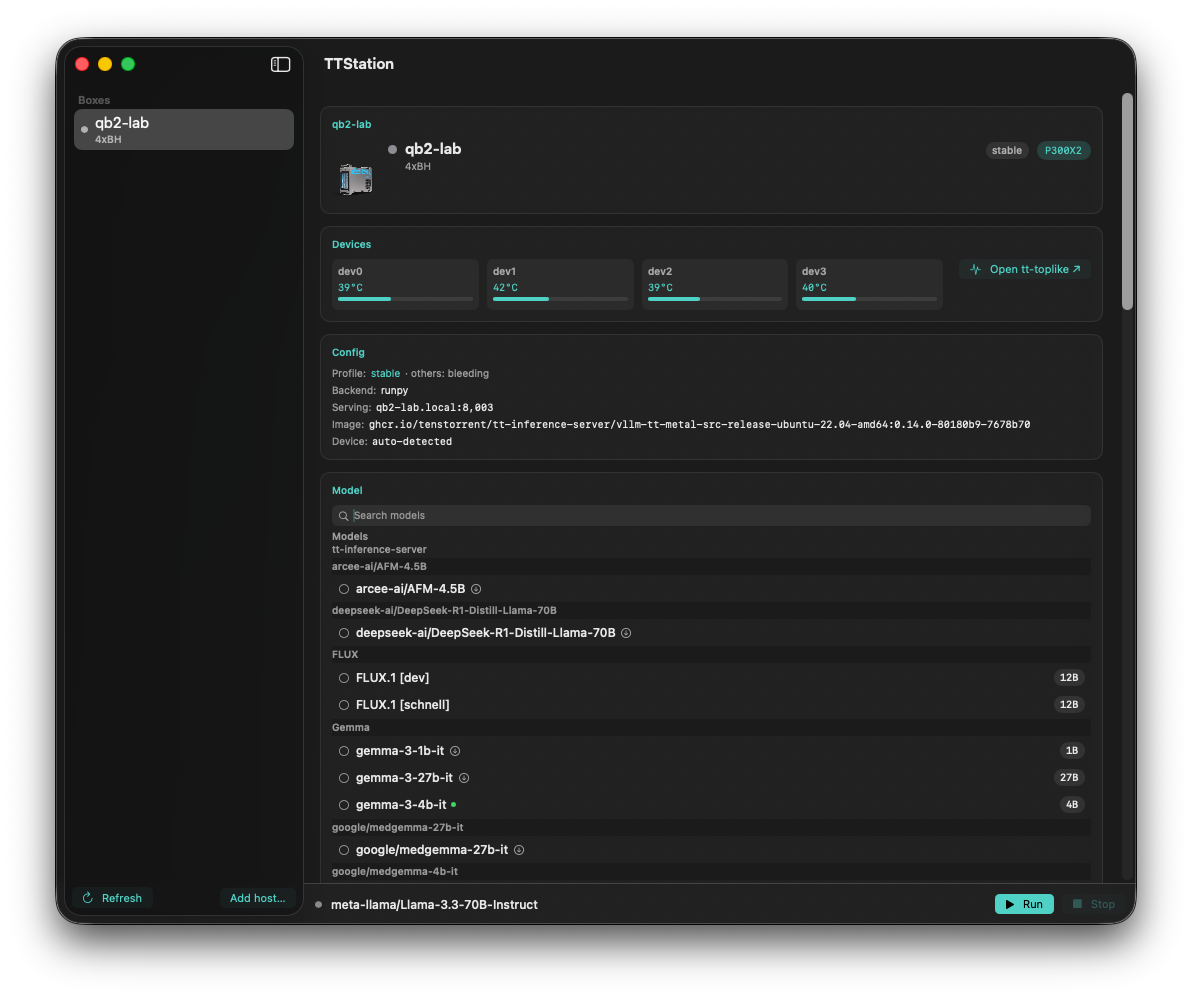
  • Menu bar + control room. A fast MenuBarExtra popover for glance and quick actions, backed by a resizable window with a boxes sidebar and a card-based detail pane.
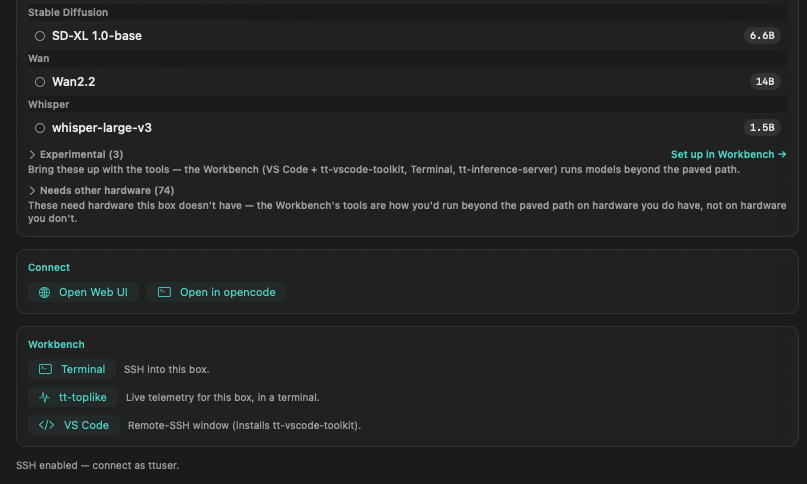
  • Hardware-aware model browser. Models that run on this box's mesh rank first ("Runs on this box" vs. a dimmed "Needs other hardware"); the smart default is compatible-first.
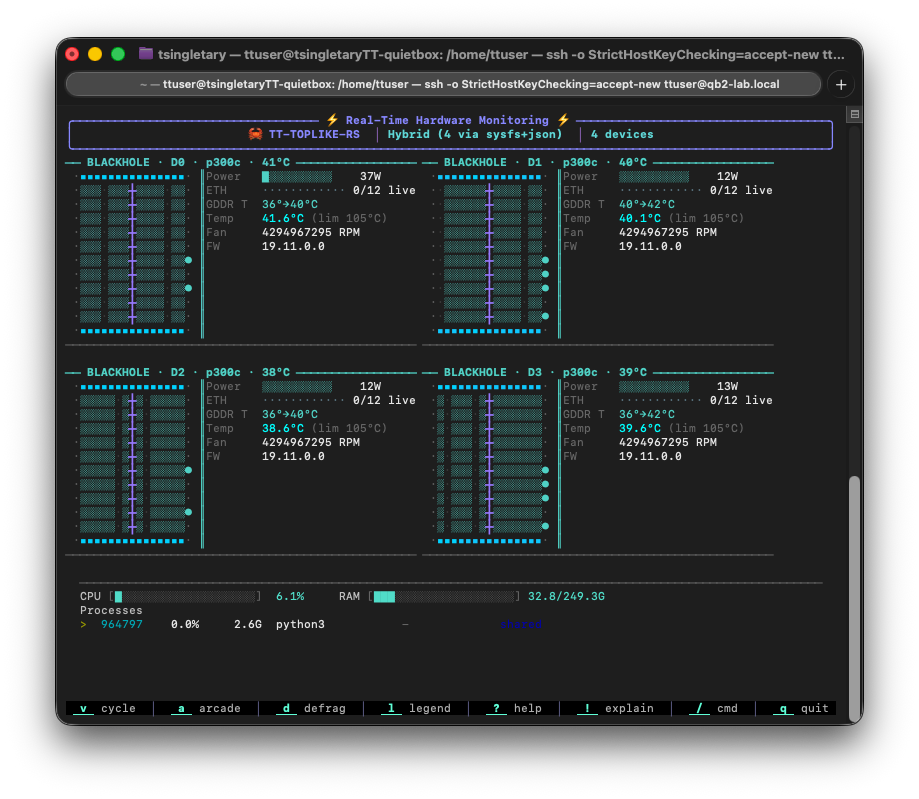
  • Live device telemetry. Per-device temp/power/aiclk streamed straight from the agent's /telemetry WebSocket, color-ramped, with a jump to the deeper tt-toplike view.
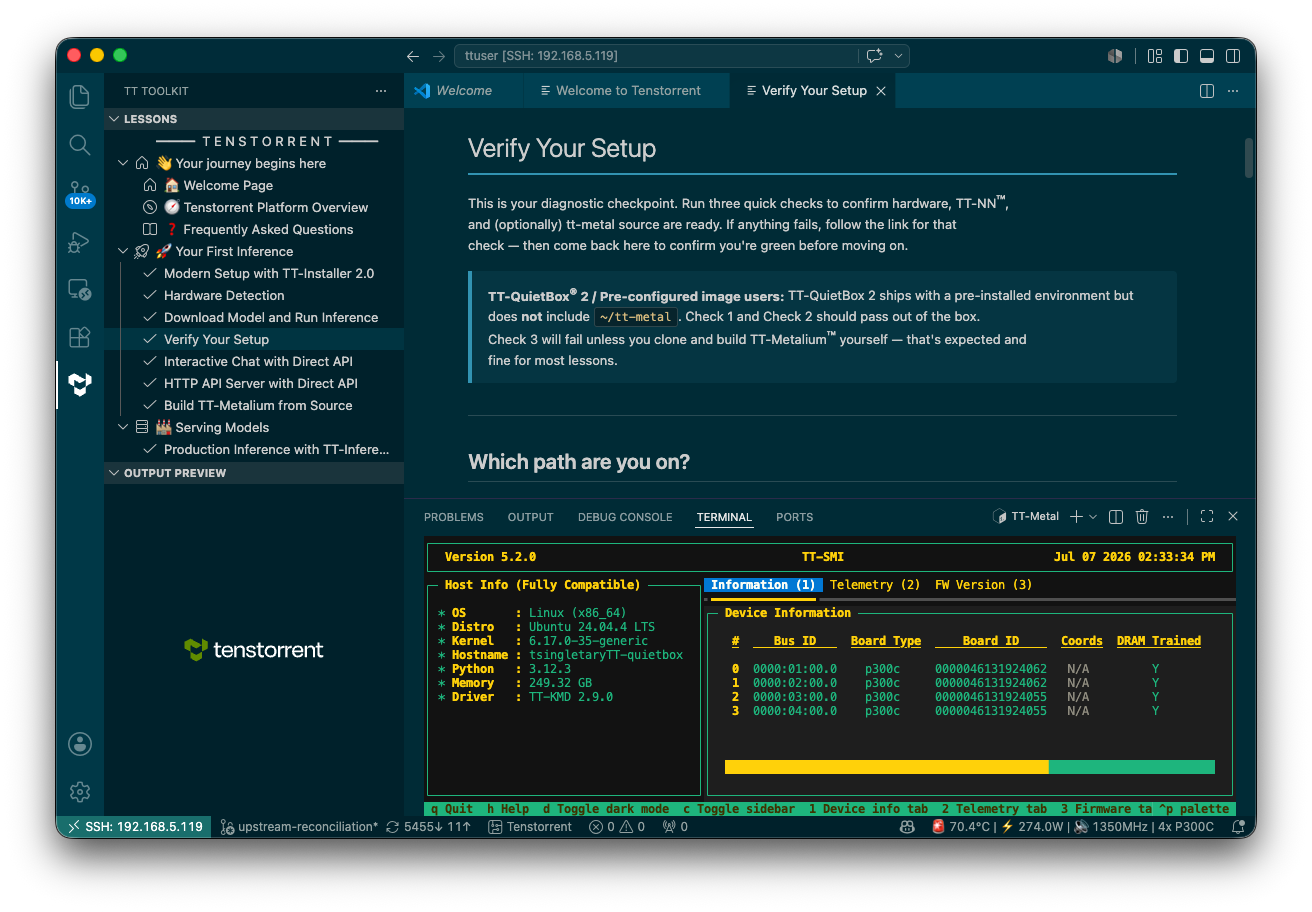
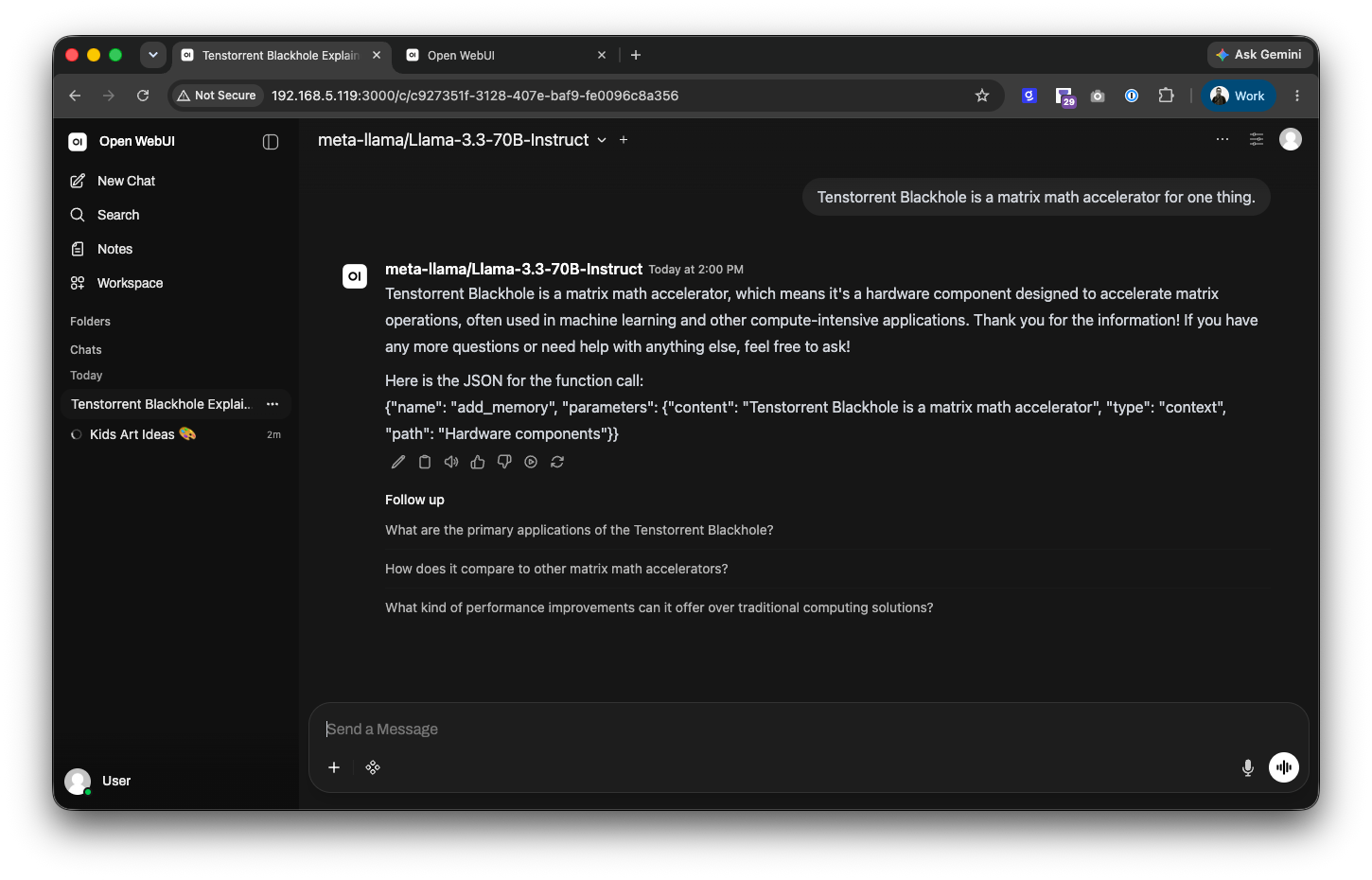
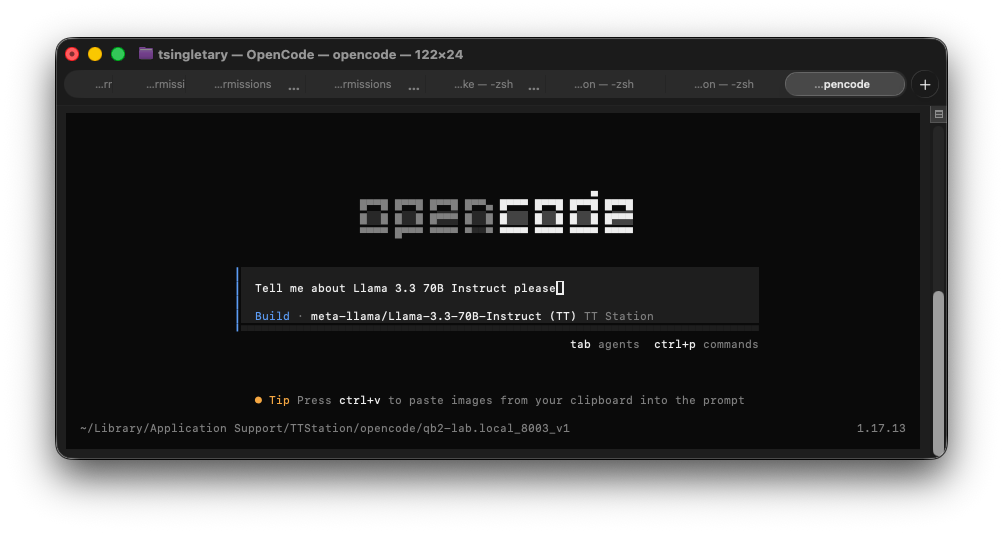
  • Fast Connect + Workbench. One-click Open WebUI / opencode (installing missing deps via Homebrew), plus Terminal/SSH, remote tt-toplike, and VS Code Remote-SSH launchers.
  • A veneer, not a brain. No discovery, pairing, or HTTP logic lives in Swift — the app shells out to tt-station --json and renders the result, so the CLI's behavior is always the truth.
The TTStation control-room window: box header with a P300X2 device-mesh badge, a live per-device telemetry strip, a config card, and a hardware-aware model browser

The control-room window — device mesh, live telemetry, config, and a hardware-aware model browser.

What you get

Plug-and-play, the whole way through

📡
Discover like AirPlay
Boxes advertise _tenstorrent._tcp over Bonjour/mDNS. tt-station discover lists them by name — no IPs to memorize. On locked-down networks, add a host manually or over Tailscale.
🔑
Pair once, keylessly SSH too
A 6-digit code on the box exchanges for a bearer token, stored in the macOS Keychain. Opt in during pairing and it also installs your Mac's public key on the box — no password prompts for the workbench.
🔌
One /v1 endpoint
Serving speaks the OpenAI API. tt-station endpoint hands you a working OPENAI_BASE_URL — point curl, Cursor, or the openai SDK straight at it.
🗂️
Named serving profiles
An optional agentd.toml defines profiles like stable/bleeding — different repo checkouts or images. Switch with tt-station config / --profile; no file at all means unchanged flag-only behavior.
🚫
No llama.cpp required
Usability rides entirely on the vLLM /v1 your box already serves. Nothing to port, nothing to recompile — the endpoint is the product.
🧭
Hardware-aware, not hopeful
The macOS app ranks models by whether they actually run on this box's detected device mesh, defaulting to a compatible model instead of one that'll fail to load.
📊
Watch it live
The agent's telemetry WebSocket drives the Mac app's live temp/power/aiclk strip, and feeds tt-toplike --remote <box> for the deep hardware view — Tensix, DRAM, temps — from your Mac. Experimental.

The payoff

If it speaks OpenAI, it works

Once tt-station endpoint sets OPENAI_BASE_URL, your QuietBox is a drop-in for anything that talks to the OpenAI API. Same code you'd point at a cloud provider — pointed at the box on your desk.

🖥️ curl
curl "$OPENAI_BASE_URL/chat/completions" \ -H "Content-Type: application/json" \ -d '{"model":"Qwen3-8B", "messages":[{"role":"user", "content":"hi"}]}'
🐍 Python (openai)
from openai import OpenAI c = OpenAI( base_url=os.environ["OPENAI_BASE_URL"], api_key="not-needed") c.chat.completions.create( model="Qwen3-8B", messages=[…])
✳️ Editors & apps
# Cursor, Continue, Zed, Raycast… # set the OpenAI base URL to: http://qb2-lab.local:8002/v1 # model: Qwen3-8B # key: (none — --no-auth)

Get started

Setup — the happy path

Two machines: the QuietBox (which already runs tt-inference-server) and your Mac. Grab the latest tagged release — a macOS app (.dmg) and Ubuntu packages (.deb) — or build the Rust binaries from source with cargo.

Download a release

On your Mac

Download TTStation-<version>-arm64.dmg from the latest release and drag TTStation.app into Applications. The app isn't code-signed yet, so clear the quarantine flag once:

xattr -dr com.apple.quarantine /Applications/TTStation.app

Launch it from Applications — it lives in the menu bar. The DMG bundles the tt-station CLI and offers to add it to ~/.local/bin on first run, so the CLI steps below work too.

On the QuietBox (Ubuntu)

Download the tt-station .deb matching your Ubuntu release (noble or jammy) from the latest release, install it, and enable the box agent as a user service:

sudo apt install ./tt-station_<version>_amd64_noble.deb systemctl --user enable --now tt-station-agentd

The optional tt-station-panel .deb adds the on-box GTK control panel. These packages aren't signed or served from an apt repo — you're installing a local .deb you downloaded.

Unsigned binaries. Code signing / notarization isn't set up yet, so macOS quarantines the app (the xattr step above) and the .debs aren't served from a signed apt repo. Every tagged release ships the same artifacts, built in CI.

Build from source

1

On the QuietBox

Build and start the box agent. It advertises itself over mDNS, auto-detects the device mesh from tt-smi, and drives serving through run.py/vLLM.

cargo build --release -p tt-station-agentd ./target/release/tt-station-agentd \ --name qb2-lab --ctrl-port 8765 \ --backend runpy \ --tt-inference-repo ~/code/tt-inference-server \ --serving-image ghcr.io/tenstorrent/tt-inference-server/...

Prefer a config file? Define stable/bleeding profiles once in agentd.toml and start with --profile stable instead of repeating flags — see docs/reference/agentd-config.md.

2

On your Mac

Build the CLI, then discover the box and pair with the 6-digit code it prints. Add --enable-ssh to also install your Mac's key for keyless access.

cargo build --release -p tt-station tt-station discover tt-station pair qb2-lab.local:8765 --enable-ssh # enter the code shown on the box

Or install TTStation.app — it drives this same CLI from a menu bar popover and control-room window; see macos/README.md.

3

On your Mac

Run a model and grab the endpoint. tt-station run waits until the box reports healthy.

tt-station run Qwen3-8B --host qb2-lab.local:8765 eval "$(tt-station endpoint --host qb2-lab.local:8765)" echo "$OPENAI_BASE_URL" # → http://qb2-lab.local:8002/v1
4

Anywhere

Point any OpenAI client at it — you're talking to silicon on your desk.

curl "$OPENAI_BASE_URL/chat/completions" \ -H "Content-Type: application/json" \ -d '{"model":"Qwen3-8B","messages":[{"role":"user","content":"hi from my Mac"}]}'
No hardware handy? Everything above works against a built-in mock box — cargo run -p mock-box -- serve --ctrl-port 8899, then tt-station discover --no-mdns --host 127.0.0.1:8899. The full discover → pair → run → completion path is exercised end-to-end in CI, no chips needed.

Under the hood

~80% already shipped. tt-station is the glue.

tt-station deliberately builds little. The heavy lifting — compiling models to Tensix cores and serving vLLM — already exists and is battle-tested. The new code is a discovery/pairing daemon, a typed HTTP client, a secret store, and a CLI, all in one small Rust workspace.

Every serving path hides behind a ServingBackend trait, so the proven run.py/vLLM launch used today stays cleanly separated from the Mac-side code — the client only ever sees one /v1.

4
Blackhole chips per QuietBox
1
/v1 endpoint to remember
6
digits to pair
0
llama.cpp integrations needed
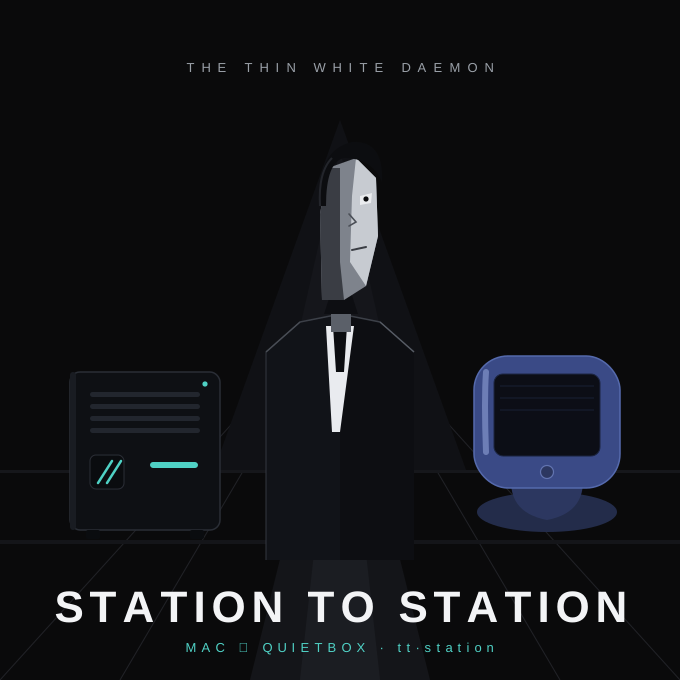
Station to Station — the Thin White Daemon: a stylized figure standing between a QuietBox terminal and an iMac G3, screenprint-style

“Station to Station” — the thin glue between your Mac and your QuietBox.

👨‍🎤 “Such is the stuff, from where dreams are woven.” 👩‍🎤David Bowie